0%

Choosing a USB Power Strip in 2026 means looking beyond the number of outlets. A compact unit may have several USB ports, yet share limited power between them. Check the total USB output and each port’s stated capability, especially if you plan to charge a laptop and phone together. USB-C does not automatically mean fast charging. Confirm that the strip supports the charging standard and wattage your devices require.

Look closely at the AC rating, cord length, plug design, and space between outlets. A bulky adapter can block a neighboring socket. Safety features matter, too: review the product’s overload protection, temperature safeguards, and surge protection details. These features are not interchangeable. Check manufacturer documentation and recognized certification information applicable to your region, rather than relying on packaging claims alone.

Think about where the strip will sit. A desk setup may need spaced outlets and accessible USB ports; a bedside table may benefit from a longer cord and a visible power switch. Compare the combined output with your real charging habits, not just the biggest number on the box. If specifications are vague, choose another model. That is a little inconvenient, but guessing is worse. Even careful buyers can miss small details, so keep the manual and inspect the strip periodically for heat, damage, or loose connections.
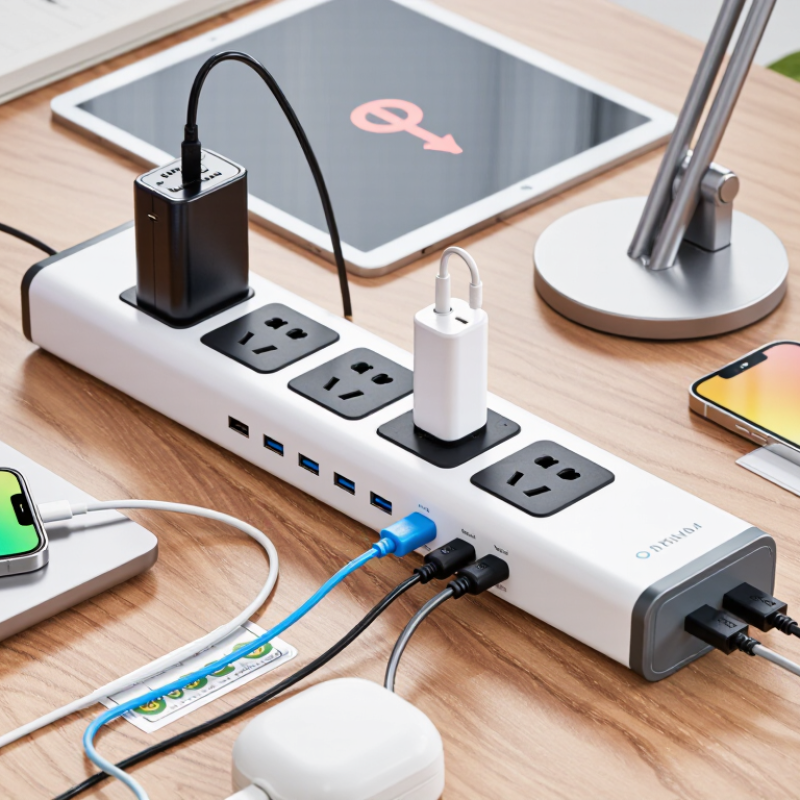
How to Choose a USB Power Strip in 2026?

What a USB Power Strip Is and How It Works

A USB power strip combines standard AC outlets with one or more USB charging ports. Inside, a compact power-conversion circuit changes household alternating current into low-voltage direct current for phones, tablets, and other small devices. The USB port delivers power through a cable, while the connected device manages its charging. Some USB-C systems also negotiate voltage and current. Not a battery.

A basic USB-A port often supplies modest power. USB-C Power Delivery can provide more, when the port, cable, and device all support it. That compatibility matters. Port count looks reassuring, but it can be misleading: several ports may share one power budget, so a tablet might charge slowly when other devices are connected.

Check the strip’s total wattage and USB output label, not just the number of sockets. A crowded desk can hide that label. Keep plugged-in equipment within the strip’s rated limit, and use USB ports for suitable low-power electronics. Some warmth during use can be normal, but unusual heat, buzzing, or visible damage calls for caution. Specifications vary.

Which Devices and Charging Needs to Account For

Before choosing a USB power strip, list the devices you expect to charge on an ordinary day. A phone, earbuds, and a tablet have different power needs from a laptop or camera battery charger. Note which use USB-C and which still need USB-A. Count plugs, too: a large adapter can block a neighboring outlet.

Check the strip’s USB output rating, not just the number of ports. Several ports may share one power budget, so charging a tablet and phone together can be slower than charging either alone. That matters. If you plan to charge a laptop, confirm that the USB-C port supports enough power for that model; some strips offer USB-C but only modest output. Compare the rating with the device maker’s charging guidance, and check whether the total output changes when multiple ports are in use.

Think about where the strip will sit. A bedside setup may need short cables and low-power charging, while a work desk may need space for a laptop adapter and camera gear. I’ve found that people often count devices but forget what gets plugged in during a busy week. Leave a little capacity for that extra device, but don’t assume every port can deliver its maximum power at once.

How to Choose a USB Power Strip in 2026: Match Devices to Charging Needs

Representative charging power for common devices (watts)

Phones and accessories usually need less power than tablets and laptops. Choose a power strip with ports that support the charging standards your devices require, and check its total USB output: power may be shared across ports when several devices charge at once. Actual charging rates vary by device, charger, cable, and battery level.

How to Compare USB Ports, Outlets, and Power Ratings

How to Choose a USB Power Strip in 2026?

How to Compare USB Ports, Outlets, and Power Ratings

A power strip’s USB port count tells only part of the story. Check each port’s output and the total USB power available when several devices charge together. A phone may charge quickly alone, then slow down when a tablet is connected. USB-C ports can support faster charging, but only when their stated power output matches your device’s needs. Read the specifications, not just the number of ports. More is not always better.

Count the AC outlets you will actually use, leaving room for bulky plugs. Then check the strip’s maximum load rating and compare it with the combined wattage of your connected appliances. The USB rating and AC load rating describe different limits. Don’t treat them as interchangeable. For a desk setup, a laptop, monitor, and charger may use more power than a row of small gadgets suggests. Ratings vary by product, so inspect the label and manual.

Tips: Look for clearly stated USB output, total load, and safety features. Keep high-power appliances within the strip’s rating, and avoid daisy-chaining strips. A high outlet count can be tempting; I’d still measure the plugs and check the ratings before buying. Small detail, big difference.

How to Check Safety Certifications and Protective Features

Before comparing USB ports, inspect the safety certification. A printed mark alone is not proof. Check whether a recognized testing organization, such as UL or ETL, certified the exact model. Use the organization’s online directory when available, and compare the model number, not just the product name. Certification requirements differ by region, so confirm the mark is relevant where you live. Also read the label for the maximum load, voltage, and current. A thick cord can feel reassuring, but the printed rating matters more.

Protective features serve different purposes. Overload protection can cut power when connected devices draw too much current. Surge protection helps reduce voltage spikes, but it does not make every electrical event harmless. A thermal cutoff may disconnect power if the strip overheats. For USB ports, check total shared output: several devices charging together may receive less power than the listed maximum. Look for clear charging and protection specifications. It is easy to overvalue a long feature list; vague claims are hard to verify. Check for grounded outlets, a sturdy plug, and an intact housing. No single feature removes risk, and I would rather see specific ratings than impressive wording.

How to Match a USB Power Strip to Your Setup

Match the USB power strip to the devices you actually use, not the number of ports on its face. Count your phone, tablet, earbuds, and any USB-powered desk gear. Then check each device’s charging requirements. A laptop may need more USB-C power than a small strip can provide, especially while you use it. Read the strip’s total USB output and per-port ratings; several ports may share available power. Small detail, big difference. If charging slows when everything is connected, the strip may be dividing its output.

Think about where it will sit. A bedside setup needs reachable ports and a cord long enough to avoid stretching across a walkway. A desk may benefit from outlets spaced for bulky plugs, plus USB-C ports near the front. Check the plug orientation, cable length, and whether the switch is easy to reach. If surge protection matters for your setup, confirm that it is explicitly listed in the product specifications; USB charging alone does not provide it. Keep the strip uncovered, and stop using it if the casing feels unusually hot or shows damage. It is easy to overbuy ports and overlook placement. A quick sketch of your desk or nightstand can reveal what will fit.

FAQS

What should I list before choosing a USB power strip?

List your everyday devices, their charging ports, and the wall plugs they need. Leave room for one extra device.

Can every USB port provide its maximum power at once?

Not always. Several ports may share one power budget, so charging a tablet and phone together can take longer.

What should I check before charging a laptop through USB-C?

Confirm the port’s output suits your laptop’s charging needs. USB-C alone does not guarantee enough power.

How can I avoid blocked outlets?

Check the size of your adapters. A wide plug can cover a neighboring outlet.

How do I verify a safety certification?

Search the testing organization’s directory when available. Match the exact model number, not just the product name.

Which ratings should I read on the label?

Check the maximum load, voltage, and current. The printed ratings matter more than a thick cord’s appearance.

What do the protective features do?

Overload protection can cut power when devices draw too much current. Surge protection can help reduce voltage spikes, while a thermal cutoff may disconnect an overheated strip.

How should I choose a strip for my room?

A bedside setup may need short cables and low-power charging. A desk may need room for a laptop adapter and camera charger. I still forget the busy-week extras.

Conclusion

Choosing a USB Power Strip in 2026 starts with understanding how it combines standard electrical outlets with USB ports to power and charge multiple devices from one convenient location. Consider what you plan to connect, including the number and types of devices, their charging needs, and whether they will be used at the same time. This helps you decide how many outlets and USB ports you need and what total power capacity will suit your setup.

Compare port types, charging output, and the strip’s overall power rating rather than judging it by port count alone. Check for recognized safety certifications and useful protective features, such as safeguards against overloads or power surges. Finally, match the strip’s size, cord length, outlet layout, and charging capacity to where you will use it, whether at a desk, bedside table, or shared workspace. A careful comparison can help you choose a practical option that fits your devices and everyday routine.

Oliver

Oliver

Oliver is a professional marketing specialist with a strong understanding of the company’s products, their practical applications, and the needs of the customers they serve. He works closely with internal teams to turn detailed product knowledge into clear, useful information, helping readers make......